A good workspace setup gives every downstream record consistent company, billing, scheduling, and access information.
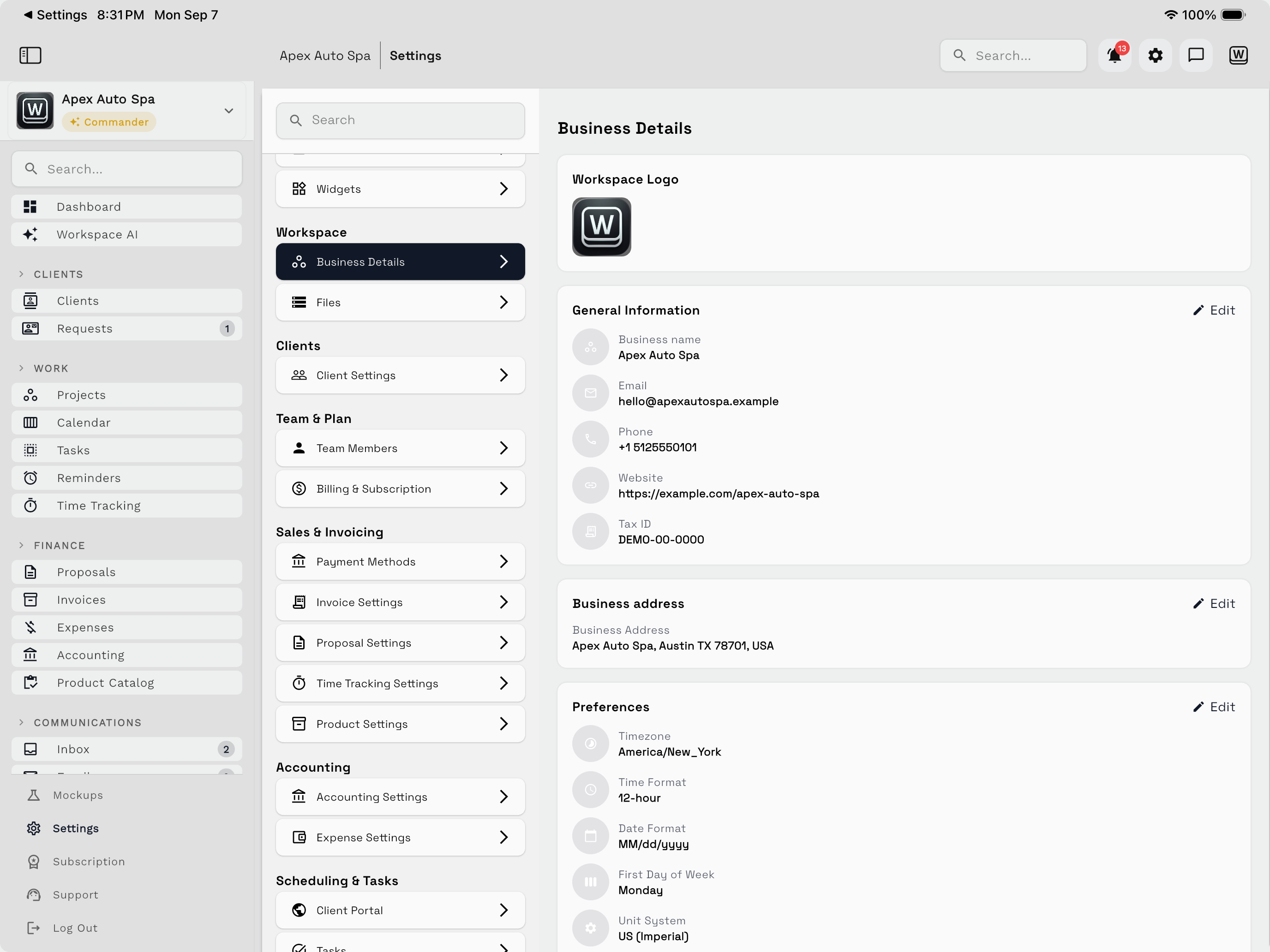
Organization profile
Review the business name, contact details, address, branding, and other organization information used throughout the workspace. Confirm any information that may appear on client-facing documents before sending the first estimate or invoice.
Team and access
Invite the people who need to work in the workspace, then match access to their responsibilities. A teammate should have enough access to finish assigned work without gaining unnecessary visibility into unrelated clients, finance, or administration.
See Team access and permissions.
Regional and scheduling defaults
Verify the workspace timezone, date conventions, business hours, and scheduling expectations. Timezone accuracy is especially important for calendar events, scheduled messages, business-hour call routing, and automation timing. Online booking availability is calculated in the workspace timezone; see Online booking overview.
Products and services
Add commonly sold products or services when you want reusable descriptions, pricing, and billing line items. Product catalog and inventory features can be expanded later when stock or purchasing workflows require them.
Billing and payments
Review document numbering, payment terms, tax handling, payment methods, and client-facing document presentation. Create a test document before using the configuration with a real client.
Communication setup
Configure the Inbox channels your team will use. Availability and compliance requirements can differ by channel, location, and plan. For phone configuration, continue to Workspace Voice.
Setup review
Before inviting the full team, verify:
| Area | Review |
|---|---|
| Organization | Company and client-facing details are accurate |
| Team | Each person has appropriate access |
| Time | Timezone and business hours match the operation |
| Catalog | Common products or services are available |
| Billing | Terms, taxes, numbering, and payment settings are ready |
| Communication | Required Inbox channels are configured |
Use a test client to validate the complete workflow before importing a large client list or enabling broad automation.