Workspace369 Inbox keeps communication near the client record and related work. Depending on configuration, a conversation can include SMS, media, calls, voicemail, email, internal notes, and follow-up actions.
Find and organize conversations
Use search and conversation filters to find active, unread, voicemail, snoozed, or closed threads. Open a thread to review the message history and the connected client context.
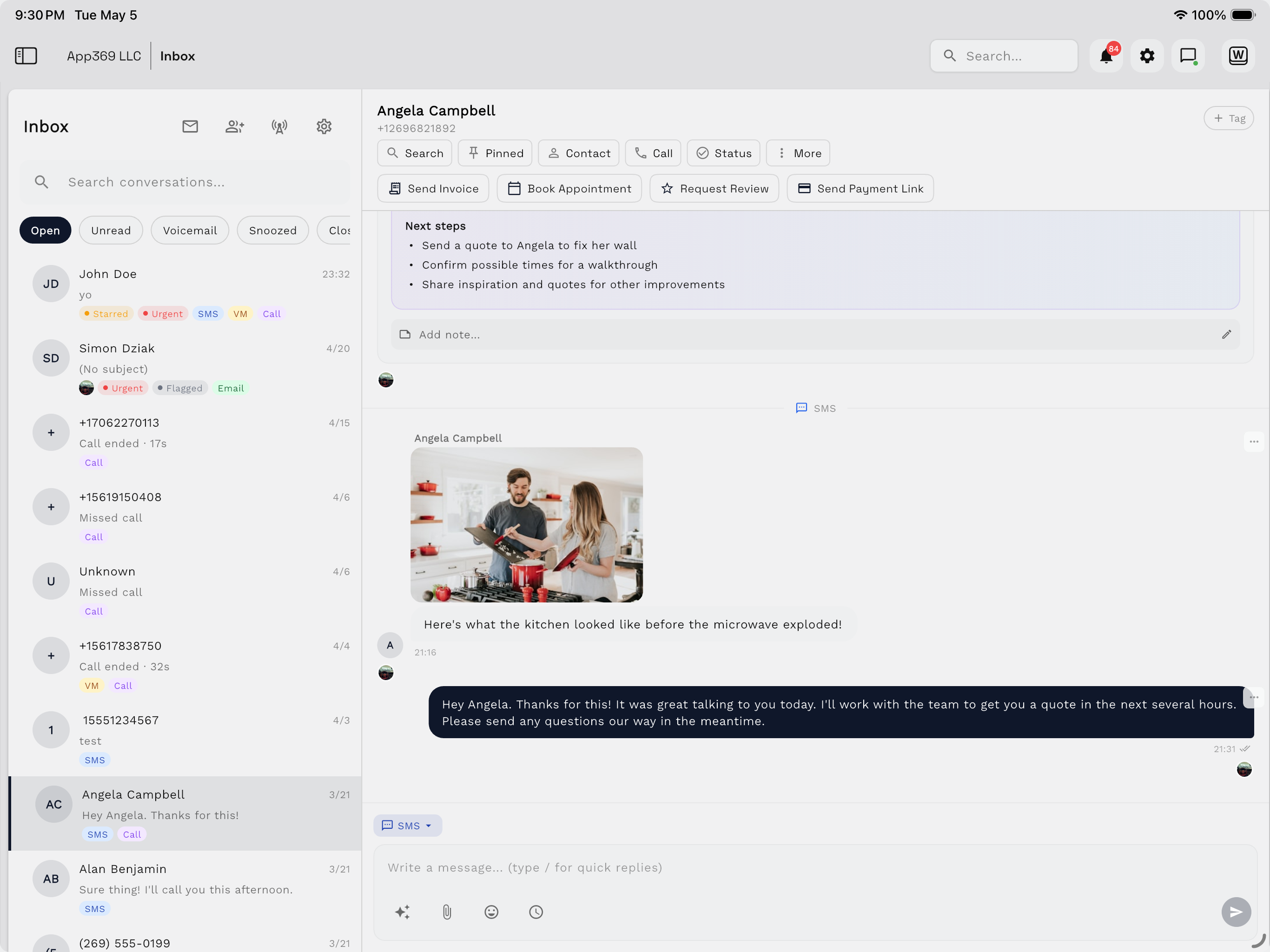
Send a message
Before sending, confirm:
- The recipient and channel are correct.
- The message is external rather than an internal note.
- Attachments do not expose unrelated client information.
- Any scheduled-send time uses the intended timezone.
Quick responses can speed up common replies. Use variables and shortcuts carefully, then review the expanded message before sending.
Use messaging actions
Inbox messages can support delivery status, reactions, pinning, read state, notes, and follow-up actions. Available actions can vary by channel and message status.
Schedule communication
Scheduled messages are useful when a reply should be delivered later. Review the pending scheduled-message list before creating a second message for the same purpose.
Use AI assistance responsibly
AI can help compose, rewrite, translate, transcribe, or summarize communication. Review generated content before it reaches a client, especially when dates, prices, scope, or commitments are involved.
Continue to calling
For inbound and outbound calling, routing, voicemail, recordings, and call summaries, see Workspace Voice.
Messaging availability and compliance requirements depend on the selected channel, phone number, destination, and workspace configuration.