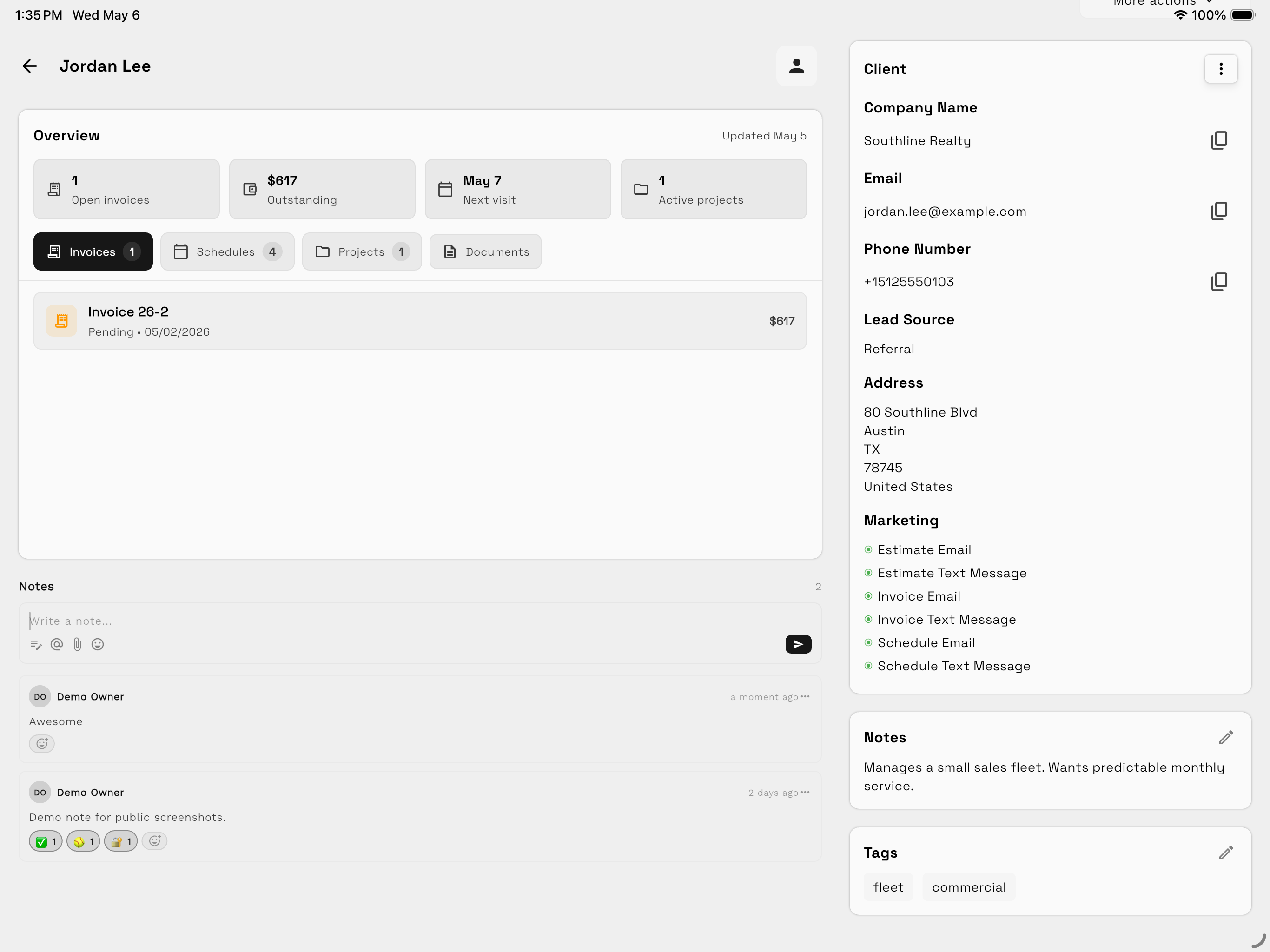
The client record is the operating context for Workspace369. It should answer who the client is, what the team is delivering, what has been communicated, and what has been billed or paid.
Create a useful client record
Add the details the team will actually use:
- Client or contact name.
- Company and role.
- Email and phone information.
- Address and service location when relevant.
- Lead source, tags, and lifecycle status.
- Internal notes that help the team deliver the relationship.
Avoid using notes as a substitute for structured fields. Put searchable and reportable information in its matching field whenever one exists.
Keep connected work attached
A client record can connect to invoices, schedules, projects, documents, messages, requests, and other activity. Open the client before creating related work when you want the relationship to remain visible from the beginning.
Use notes with context
Notes should explain decisions, constraints, preferences, or follow-up that the team may need later. Do not copy entire email or SMS threads into notes when the Inbox conversation already preserves that history.
Organize clients for retrieval
Use lifecycle status, ownership, tags, and other available properties consistently. Agree on a small shared vocabulary before creating dozens of nearly identical tags.
Protect client visibility
Use team permissions and client-scoped access when contractors or account managers should only work with assigned clients and inherited client work. See Team access and permissions.
Client record quality checklist
Before treating a record as complete, confirm:
- The primary contact method is accurate.
- Ownership is clear.
- Current delivery work is connected.
- Billing records belong to the correct client.
- Sensitive information is only visible to appropriate team members.